Salesforce Winter ’27: 6 Flow Updates Worth Trying
Build clearer screens, repeat your tests, and catch mistakes earlier. A practical guide with examples, visual diagrams, and a sandbox checklist.
Published by Cloud Exam Coach · · 6 min read
← Back to all learning resources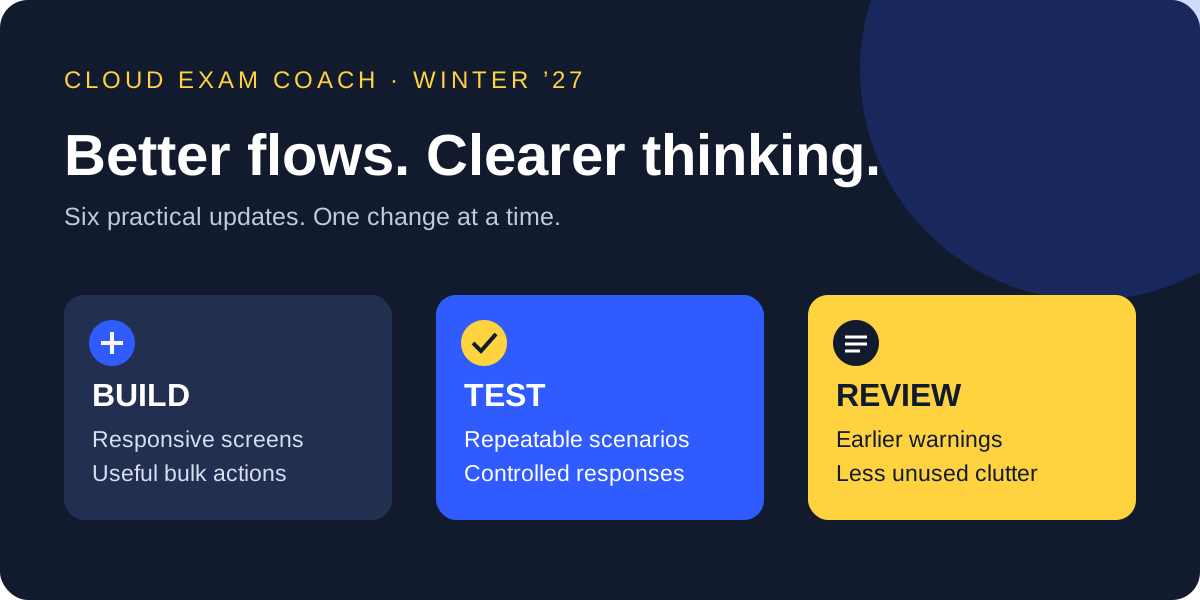
Your learning path
Pick a topic to preview its key idea, then jump into the guide.
Start with one useful change
Winter ’27 gives Flow builders more ways to improve everyday automation. Start with a flow your team already uses: a case update, a customer intake screen, or a record creation process. Choose one improvement, test it, and compare the result.
Read this sectionTest your recall before moving on
Explain “Start with one useful change” in your own words. Can you give a practical example and describe a mistake to avoid?
Reveal the key idea
Winter ’27 gives Flow builders more ways to improve everyday automation. Start with a flow your team already uses: a case update, a customer intake screen, or a record creation process. Choose one improvement, test it, and compare the result.
Your checklist lasts while this page is open. It does not affect your exam score.
Start with one useful change
Winter ’27 gives Flow builders more ways to improve everyday automation. Start with a flow your team already uses: a case update, a customer intake screen, or a record creation process. Choose one improvement, test it, and compare the result.
This guide focuses on six practical changes. Feature availability depends on your org, edition, and settings. Test Mode and mock outputs are beta features; review their terms and suitability before enabling them. The examples below are suggested exercises, not claims that we tested these features in your org.
- Need fewer clicks? Start with multi-record screen flows.
- Need more confidence after edits? Start with saved scenarios.
- Inherited a confusing flow? Start with the Unused filter.
Pause & practise: can you explain it?
Describe “Start with one useful change” in your own words, then think of a scenario where you would apply it.
Show the recap
Winter ’27 gives Flow builders more ways to improve everyday automation. Start with a flow your team already uses: a case update, a customer intake screen, or a record creation process. Choose one improvement, test it, and compare the result.
1. Save a test you can run again
Flow Test Mode (beta) brings debugging and reusable scenarios into the same workspace for autolaunched and record-triggered flows. Add assertions to check the expected result, rather than relying only on a successful run.
Try this: create a case-routing scenario for a high-priority case. Define the expected routing result, run it, and save it. After changing the routing logic, rerun that same scenario.
Enable Flow Test Mode (Beta) in Process Automation Settings if it is available and appropriate for your sandbox. Keep separate scenarios for normal inputs, missing data, and boundary values. A passing scenario proves only what its assertions check.
Pause & practise: can you explain it?
Describe “1. Save a test you can run again” in your own words, then think of a scenario where you would apply it.
Show the recap
Flow Test Mode (beta) brings debugging and reusable scenarios into the same workspace for autolaunched and record-triggered flows. Add assertions to check the expected result, rather than relying only on a successful run.
2. Test a response without calling the live system
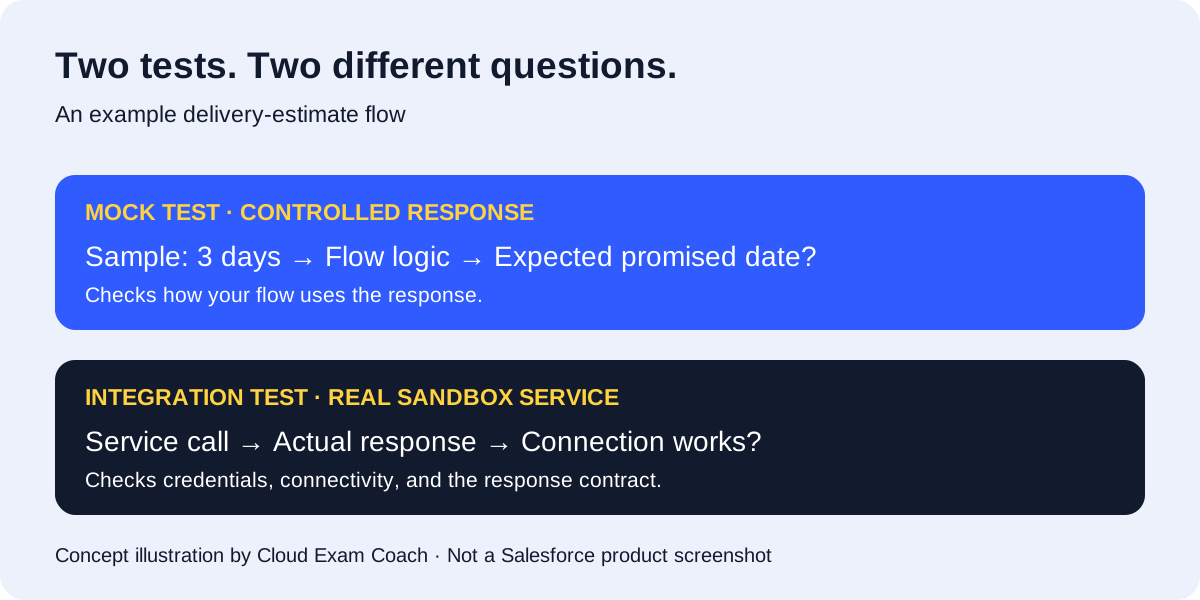
Mock outputs (beta) let supported Action and Subflow elements return controlled test data. This helps you test downstream flow logic without depending on an external service or another flow.
Try this: your flow requests a delivery estimate. Supply a sample response of three days, then check the promised-date logic. Repeat with an empty response and confirm that your flow handles it deliberately.
A mock checks how your flow uses a response. It does not prove that authentication, connectivity, or the real service works. Keep a separate integration test.
Pause & practise: can you explain it?
Describe “2. Test a response without calling the live system” in your own words, then think of a scenario where you would apply it.
Show the recap
Mock outputs (beta) let supported Action and Subflow elements return controlled test data. This helps you test downstream flow logic without depending on an external service or another flow.
3. Handle selected records in one screen flow
A mass quick action can launch a screen flow from a list view or related list and pass the selected record IDs. Users can work on a selection instead of opening every record separately.
Try this: select several cases, choose a new priority once, and show a confirmation screen before applying the update. Follow the release note’s input-variable requirements when configuring the action.
Test a single selection, several records, and records the user cannot update. Plan how to explain failures. Collect changes before saving them where possible; receiving several IDs does not remove transaction limits or permission requirements.
Pause & practise: can you explain it?
Describe “3. Handle selected records in one screen flow” in your own words, then think of a scenario where you would apply it.
Show the recap
A mass quick action can launch a screen flow from a list view or related list and pass the selected record IDs. Users can work on a selection instead of opening every record separately.
4. Make screens respond as users type
Conditional visibility can evaluate reactive formulas that reference components on the same screen. You can make the screen respond to current input without adding another screen just to refresh the experience.
Try this: an equipment request asks for quantity and unit cost. Use their calculated total to show an additional justification field when the amount crosses your approval threshold.
Test both sides of the threshold, blank inputs, and changing an answer back again. Visibility controls the screen experience; it is not a substitute for permissions or server-side validation.
Pause & practise: can you explain it?
Describe “4. Make screens respond as users type” in your own words, then think of a scenario where you would apply it.
Show the recap
Conditional visibility can evaluate reactive formulas that reference components on the same screen. You can make the screen respond to current input without adding another screen just to refresh the experience.
5. Catch missing required fields before running
When a Create Records element uses a record variable, Flow Builder can warn at save time if an assignment for a required field is missing. That gives you an earlier chance to fix an incomplete record.
Try this: review a flow that creates a follow-up record. Save it, inspect any required-field warnings, and verify the assignments before testing the creation path.
Treat the warning as an extra check. Still run the flow with realistic data: validation rules, access restrictions, and other runtime conditions can affect the result.
Pause & practise: can you explain it?
Describe “5. Catch missing required fields before running” in your own words, then think of a scenario where you would apply it.
Show the recap
When a Create Records element uses a record variable, Flow Builder can warn at save time if an assignment for a required field is missing. That gives you an earlier chance to fix an incomplete record.
6. Remove clutter from inherited flows
The Unused filter in the Flow Builder Toolbox narrows resources to items with no recorded usage. It makes a large flow easier to inspect when old variables remain after repeated edits.
Try this: open an inherited flow and review the filtered resources one at a time. Confirm each resource’s purpose before removing it. Save a new version and rerun your important scenarios.
Make the handover useful: document what the flow does, who owns it, and which scenarios protect its behaviour. A tidier canvas is helpful; a tested, understandable flow is better.
Pause & practise: can you explain it?
Describe “6. Remove clutter from inherited flows” in your own words, then think of a scenario where you would apply it.
Show the recap
The Unused filter in the Flow Builder Toolbox narrows resources to items with no recorded usage. It makes a large flow easier to inspect when old variables remain after repeated edits.
Your sandbox checklist
Pick one flow and keep the first change small. Use this checklist before promoting your changes. These are our suggested review steps, not a replacement for your team’s release process.
- Save the current version and record the expected behaviour.
- Check feature availability and beta status in your org.
- Make one change and test normal, empty, and boundary inputs.
- Run as a representative user, not only an administrator.
- Test real integrations separately from mocked responses.
- Review the results with the flow owner and record a rollback plan.
Pause & practise: can you explain it?
Describe “Your sandbox checklist” in your own words, then think of a scenario where you would apply it.
Show the recap
Pick one flow and keep the first change small. Use this checklist before promoting your changes. These are our suggested review steps, not a replacement for your team’s release process.
What this means for certification study
Use these changes to practise durable skills: selecting the right flow type, handling collections, validating inputs, and checking permissions. Explain why a design meets the requirement before memorising where a button sits.
Release news is not an exam blueprint. Check the current official certification guide for assessed topics. Our free Platform App Builder practice is a next step for applying core concepts, not a Winter ’27 feature test.
Pause & practise: can you explain it?
Describe “What this means for certification study” in your own words, then think of a scenario where you would apply it.
Show the recap
Use these changes to practise durable skills: selecting the right flow type, handling collections, validating inputs, and checking permissions. Explain why a design meets the requirement before memorising where a button sits.